Favorite airports from around the world

I’ve been doing a lot of travel the last few years and have gone through a lot of airports. There are huge variations in quality from airport to airport and even within terminals of the same airport. A few stand out.

Vancouver's beautiful airport

YVR makes a grand first impression for arriving travelers

Some of the things that I look for in airports:

  • Open, airy spaces. I’m going to be crammed in a metal tube for hours. I don’t want to be crammed in the airport, too.
  • Well-managed security lines. Atlanta (ATL),  Denver (DEN) and Washington Dulles (IAD) go on the hate list for this reason alone.
  • Reasonably priced food with options for healthier eating than burgers and pizza. A big plus for airports that promote local restaurants.
  • Free WiFi and easily accessible power ports. Most large airports don’t have free WiFi (the better to soak business travelers), but a lot of the mid-market and small airports do.
  • Convenient public transit options to the city.
  • Good signage.
  • Big windows to watch airplanes from.
  • Service from airlines that I’d want to fly.
  • Public art installations. They add character and provide a pleasant diversion when flights are delayed.

None of the airports on this list excel at all of these things, but as a whole each airport stands well above average. This list is also available as a Google Map.

Workstations At Airport

Workstations at ABQ

10. Albuquerque International Sunport – A great mid-market airport. It’s one of the few that I’ve seen that have free WiFi and desks with power plugs that are open to all passengers. The restaurants have a strong local flavor.

9. San Francisco International Airport (SFO) Terminal 3/International Terminal – SFO,  much more than most airports, has really highlighted local restaurants in its terminals. They aren’t cheap (but then it’s San Francisco, so they aren’t cheap in the city either), but do give travelers a good taste of the city. I recommend the Boudin Bakery in Terminal 3. Terminal 1 food options are lacking. SFO also features a rotating selection of art, though I have to question the recent display of clock art. The confusing, expensive and poorly executed public transit from the airport is my biggest knock against it. It could be much better, but BART has taken a soak-the-travelers attitude.

What The Hell Are The Guys Doing Inside The Engine

Maintenance workers climb inside an engine with a giant blow dryer to remove ice crystals at MSP after a long delay

8. Incheon International Airport (ICN) Seoul – An architecturally impressive airport with first-rate amenities, including a spa. Like Seoul itself, the airport is littered with American fast food chains. Unfortunately the airport is a long way from the city and Seoul’s brutal traffic makes it seem even farther.

7. Minneapolis-St. Paul International Airport (MSP) Lindbergh Terminal – Clean, easy and efficient. Navigating the sprawling tentacles of the airport is made easier with clear signage and trams, but if you’re connecting, you could be in for a lot of exercise. A few Minnesota favorites such as D’Amico & Sons, Dunn Bros Coffee and French Meadow Bakery are sprinkled in among the airport chains. The new light-rail line takes you downtown or to Minnesota’s biggest tourist attraction – the Mall of America – for $2.25 or less. Minnesota’s harsh winters often mean long waits for deicing or missed connections, but I haven’t had the nightmarish experiences of O’Hare here.

DTW makes it easy to get up close to the planes

DTW makes it easy to get up close to the planes

6. Detroit Metro Airport (DTW)Detroit gets the prize for most improved airport, moving from worst to not-quite-first. The McNamara Terminal is architecturally impressive and has great views of planes. It’s daunting length is reduced by the Express Tram, which provides a birds-eye view of the terminal as it goes from one end of the terminal to the other. The light show in the tunnel between the A and C concourses can be entertaining. The Westin is one of the nicest airport hotels in the country, with its own security entrance. Restaurants are on the chainy side.

5. Seattle-Tacoma International Airport (SEA) – The gigantic atrium in the central terminal is one of my favorite airport spaces. Sculptures of local fish are embedded in the floor throughout the terminal, with occasional river noises. On a rare clear day, you can see Mount Rainier from the airport. Dining options highlight local flavors including wines and seafood. A new light rail line connecting Sea-Tac to downtown Seattle is one of the simplest and cheapest ($2.50) city connections you’ll find in the United States. (The light rail isn’t complete yet. You have to take a bus to the current end-of-the-line.)

4. Charlotte Douglas International Airport (CLT) – Charlotte has wonderful public spaces, free WiFi and power plugs next to comfy rocking chairs. The last time I was through CLT, there was even a piano player. The food court includes local barbecue options. Charlotte would probably be my favorite airport, but it has one big drawback: the dominant carrier is US Airways.

3. Vancouver International Airport (YVR)You’ll know you’ve landed in the Pacific Northwest when you arrive at YVR. The entry from international flights is one of the most impressive welcomes I’ve seen in an airport. It wouldn’t be hard to think of YVR as a Native American history museum. Some of the art on display is on loan from museums. Free WiFi is also a plus. The Canada Line mass transit system linking the airport to the city should be opening any day now.

United jet and Kona airport

A United jet dwarfs the airport buildings at KOA

2. Washington National Airport (DCA) Terminals B & C – Wealthy Alexandria neighbors, overblown security concerns and the idiotic perimeter rule keep more people from experiencing this terrific, underutilized airport. Terminals B & C are clean, modern and airy. They feature amazing views of the Capitol and the Washington Monument across the Potomac. The views from Continental’s Presidents Club are especially impressive. Dining is much more chain-oriented than I’d like, but I do try to hit the Five Guys when I’m there. A covered walkway takes you to the Metro which connects you to much of the DC area. Security lines are usually not an issue. The biggest knock: Terminal A, the original airport. A lot of third-world nations would disown it.

1. Kona International Airport (KOA) – OK, the deck is stacked here. A big part of the reason that Kona is my favorite airport is that when you land, you’re in Hawaii. The approach from the mainland includes a view of neighbor island Maui, goes over turquoise water and you land on a lava flow from 1801. (Look out for messages in white coral on the lava.) But the airport itself has a lot of charm. There’s a little bar tucked away in the corner.  There aren’t big windows to see the planes, but that’s because everything is open air, letting you get up close and personal with the planes. (Just don’t take a lot of pictures like I did or you might be interrogated.) Food options at this tiny airport are limited. I was too distracted by the beauty to check if there is free WiFi.

Two other international airports that I really liked are Kuwait International Airport (KWI) and Schipol (AMS) in Amsterdam. My last visits there were too far in the past to include in this list.

And for those who are wondering, here’s the hate list in no particular order: ATL, DEN, BOS, IAD, LGA, JFK, LHR, ORD, MIA, SJC, OAK, FRA, IAH, MSY, CDG.

Posted in airlines, travel | 11 Comments

The benefits of starting from scratch

Today marks the second anniversary of the launch of Virgin America, an upstart carrier that has inspired many loyal followers. Virgin America is a clear example of the benefits of starting from scratch.

Virgin America cabinAmong Virgin’s features:

  • Brand new planes.
  • Cheerful gate staff and flight attendants.
  • AC power plugs at every seat.
  • In-flight WiFi on every seat on every flight.
  • Live TV.
  • The best in-flight entertainment system on a domestic carrier.
  • The best premium economy offering (Main Cabin Select) in the U.S.
  • The best domestic first class, with the exception of three-cabin transcontinental offerings like United’s p.s. It even rivals some U.S. carriers’ international business class offerings.
  • In-seat, on-screen food ordering.
  • Specialty food choices.
  • A simple frequent flier program with no redemption restrictions.

Virgin America is the airline I’d design if I were designing an airline from scratch. It solves the needs of today’s travelers.

The legacy airlines can’t come close to Virgin’s offering. Retrofitting aircraft is expensive and many carriers are facing liquidity crunches. Union rules make it next to impossible to fire rude and bitter flight attendants. Bureaucratic processes and lethargy prevent innovations like Virgin’s IFE system (see my post Could YouTube have come from a large company?) To the extent that Virgin America has a legacy, it’s the halo from Virgin’s fun, irreverent brand and Sir Richard Branson, chairman of Virgin Group. (see video below)

On most airlines I complain about things like surly flight attendants, seats held together with duct tape, dirty planes, long mechanical delays and shabby terminal facilities. On Virgin America the complaints are in a different (and whiny) league: the IFE system has some bugs in it, seat-to-seat chat needs status messages, in-flight WiFi can sometimes be slow. The only substantive complaint I’ve had so far is that the Web site is incredibly slow and painful to use.

I’m not the only one who has noticed: Virgin’s load factor has been steadily increasing, even as it has expanded capacity. Virgin’s flights often sell out before those on legacy carriers on the same routes.

Virgin came into the market at a really tough time for the industry, with record oil prices last year and the toughest economy in decades. Here’s hoping Virgin America makes it to its 20th birthday.

Vodpod videos no longer available.

Posted in airlines, customer service, travel | 4 Comments

Past, present and future of online maps

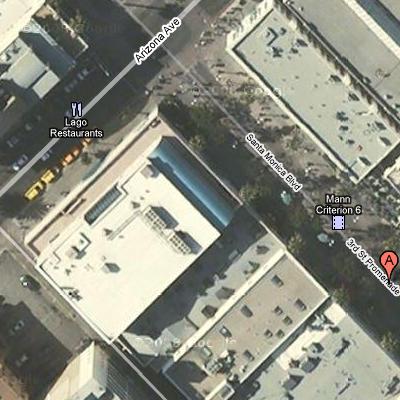
Business names and landmarks on Google MapsGoogle announced yesterday that it has added more detail on its maps, highlighting businesses and landmarks. They even solved the Albert Einstein Memorial problem that I wrote about last year.

Businesses and landmarks are important because they make maps more in line with the way people think, instead of the way that computers operate. This change also means that businesses won’t have to resort to painting their rooftops to be easily identifiable.

There are two big challenges with what Google is doing:

We’ve come a long way from the early days of the Web when maps consisted largely of roads and a clunky user interface. We’ve seen the addition of aerial imagery, building outlines, photos, public transit, Street View, neighborhoods, user-generated content and live traffic. Google has driven much of this innovation, although to be fair MapQuest had aerial imagery first and A9 had a version of street view early on.

There is still a lot of work to do to improve maps:

  • College and corporate campuses. Campuses such as Google’s and Microsoft’s buildings have numbers, but these aren’t shown on the map. If you were meeting someone, they’d probably tell you to go to “Building 43”. My friend Adam at Google keeps a custom Google map to show where his building is. (Oddly, Microsoft’s Bing maps show building numbers for the Microsoft campus, but don’t let you search for them.) The same thing applies for airport terminals.
  • Controlled-access facilities. Businesses in controlled-access facilities should be hidden by default — few people are going to park and go through security to eat at an airport restaurant. On the other hand, if I’m in the airport, I want to know what businesses are in my terminal.
  • Handling nonstandard locations. Databases are organized around cities and states in the United States. This works for most places, but is problematic in areas that don’t follow the convention like Hawaii or Las Vegas. Hawaiians talks about islands, but the local databases don’t know the concept of an island. This is made worse by the fact that the same town name is used on multiple islands — there’s a Waimea on Kauai and Hawaii and a Kailua on Oahu and Hawaii. Local constructs such as “North Shore” and “South Shore” aren’t understood either. Navigating using local search on my recent trips to Hawaii was error filled.
    In Vegas, hotels are a primary navigation construct and many of those hotels have more shops and restaurants than do a lot of American towns.
    Given how popular these destinations are, I’m surprised this problem hasn’t been solved.
  • Parking availability. In a big city it’s rare that you can drive up to your destination and park right in front; finding parking can easily add 15-20 minutes to your trip. Companies like Urban Mapping are already collecting this information. I had a book called Park It Here! that showed street parking restrictions for every block in Manhattan. I’d love to see that data online.

More on: google, maps, local search

Posted in bing, google, local search, maps, microsoft | 4 Comments

Missing out on the big stuff on Twitter and Facebook

One of my friends recently got engaged and posted that fact on Facebook. I missed it.

It’s one of the frustrations of the constantly flowing river of news in social networks — births, deaths, weddings and job changes get lost amid the links to pictures of kittens, “what state should I live in quizzes?”, stories about Internet celebrities and the other trivia of life.

There’s no way to get a summary of the important stuff. On many news sites, we have a variety of clues: the size of a headline and the relative placement of stories serve as indicators a story’s importance. We need similar clues for social media.

One place to start is the publisher: the author knows how important it is relative to other entries they write. I post content to social networks on average 5-6 times a day. About once or twice a month I post something that I’d want to call extra attention to. But short of posting it repeatedly (further polluting the stream) there’s no way to call attention to it.

Something like this wouldn’t work in an open Web environment where spammers would designate everything they create as spam; but in a social context, the network serves as a check against excessive spamming.

Another way to identify important content is to look at how many people act on it. If a lot of people like a post or comment on it, that post is likely more significant than others. This should be normalized so that someone with a lot of followers or a more active network doesn’t drown out others with smaller networks.

Identifying important content also helps when looking at a longer period of time than the last hour or last day. It would be useful to be able to look back through my Facebook or Twitter history and see what were the most important things this year.

Posted in facebook, social networking, twitter | 2 Comments

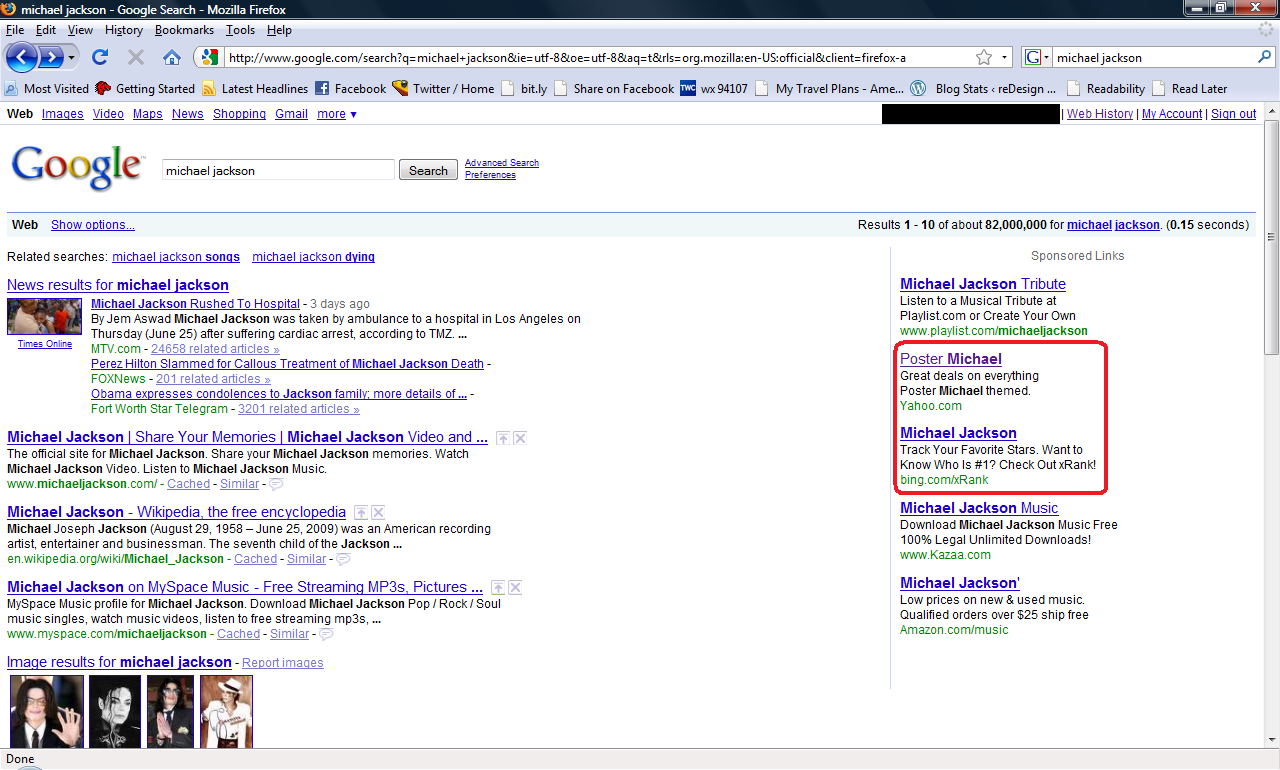
Bing, Yahoo! try to capitalize on Google’s Michael Jackson traffic surge

Bing, Yahoo! ads on Michael Jackson results on Google

Bing, Yahoo! ads on Michael Jackson results on Google. Click to see full version.

Seen over the weekend: ads for bing and Yahoo! on Google search results for “Michael Jackson”.

The bing ad led to bing’s xRank page for Michael Jackson. The Yahoo! ad bizarrely led to a Yahoo! shopping results page for Michael posters, most of which had nothing to do with Jackson.

The bing ad appeared every time I reloaded the page. The other ads were much less frequent.

Update: AOL has joined the fray with ads for AOL Music, including a pitch to download a “Michael Jackson tribute toolbar” on the landing page.

Posted in advertising, aol, bing, google, search, yahoo | 1 Comment

How do you pay for a ride on SF Muni with a $20 and a $1?

Coming back from Berlin yesterday, I decided to take public transit. I took BART from SFO to Embarcadero station, where I had to switch to Muni to get home. The fare was $1.25 (after a paper BART to Muni transfer discount) and I had a $20 bill and a $1 bill. I also had about $40 on my BART ticket, but that doesn’t work on Muni. Here are the parameters:

  • There’s a staffed booth, but the staff can’t make change and you can’t just hand them money.
  • You can’t buy a pass with a credit card.
  • The turnstiles take only coins.
  • There’s a change machine that will give you $1 coins for $5 and $10 bills.
  • There’s another machine (marked for BART) that will make change for $20 bills and give you $5 bills.
  • There’s a BART ticket machine that has an option to get change for $1 bills.

It worked out to be a 4-step process using 4 different machines (not counting the machine that issues the BART to Muni transfers):

  1. Put the $20 bill in the BART bill change machine and get 4 $5 bills.
  2. Put the $1 bill in the BART ticket machine to get 4 quarters.
  3. Walk across the hall and put one of the $5 bills into the Muni change machine to get 5 $1 coins. Whoops, it won’t take it. Turns out it doesn’t take the new $5 bills. Fortunately, I had gotten one of the old ones.
  4. Put the $1 coin and a quarter into the turnstile and hand the paper slip to the agent to let me through.

No wonder people hate using public transit.

Posted in random | 6 Comments

What the AP must do now

I’ve written before about how the Associated Press blew it in the early days of the Web by choosing to not play in the online news space. More than a decade later, AP still has tremendous assets that it can use to become a great news source. Rather than fight expensive legal battles that it will almost surely lose, it can try to build a great product:

  • Unlock the content vault — AP content has typically been available online for no more than 30 days, which means that links to AP content goes bad quickly. AP could provide exclusive access to all of the content that it has. Not only does this provide a great service to users, it’s also great for search engine rankings.
  • Exploit the photos –- One of my favorite things when I was working in a newsroom was to look through the AP LeafDesk. AP employs some of the world’s most talented photographers and the LeafDesk was my window to the world. From there, I would choose which photos would appear in our products. In the online world with infinite space, there is no reason to have editors limit the availability of pictures to what they can fit in print. Online access to AP’s photos would be a pageview goldmine; slideshows are incredibly popular. At the New York Times, 11 million of the 49 million pageviews on the day after the inauguration went to slideshows. (Bonus tip: talk to the folks at Cooliris.)
  • Geotag the content — AP journalists are in the best position to include relevant geographic information in articles and photos. Geotagging would provide users new ways to explore AP’s content. Imagine browsing through a map with the latest photos and news. Or using geotags combined with archived content to explore a region in time. Google News tries to do this using algorithms, but often misses or adds irrelevant geotagging.
  • Organize the AP’s information and make it universally accessible — Instead of letting Google organize the AP’s information, the AP should do it. This may be hard to do given the AP’s DNA, but it needs to move from generating disposable news stories to creating longterm news resources. There is a lot of information and judgment that goes into the newsmaking process that doesn’t make it into the final story. If embedded in a database, that information could be used to automatically generate timelines of the major stories of significant news events. AP’s obit file could become a reference source about newsmakers.
  • Talk to NPR — NPR faces channel conflict similar to AP’s, yet they’ve managed to build one of the best news sites and they’ve done it under the NPR brand. NPR.org is frequently a leader when it comes to adopting new technologies, including open APIs, social media and search. Learn from their experts.

AP needs to do this under the AP brand instead of obscure local brands. It needs to focus on page performance, usability and searchability.

If AP does all of the above, it will have built an unparalleled news product. Maybe one that consumers would pay for.

More on: newspapers, geotagging

See also:

Posted in google, journalism, newspapers, publishing | 1 Comment

Announcing reDesign mobile

I’ve been working in wireless application design for more than 10 years and it’s really exciting to see wireless data take off. Mobile applications and widespread connectivity are bringing oceans of information to our fingertips. In the last year I’ve been more informed, eaten better, taken public transit more and been more adventurous than ever before. I’ve also been less bored and less lost.

The explosion in the availability of data and the creation of data is going to be transformative, perhaps more than the wired Internet. Realtime information from our friends, neighbors and sensors will allow us to be more efficient and avoid a lot of everyday annoyances.

There are challenges:

  • Network quality — Wireless networks in the U.S. aren’t nearly as fast or reliable as networks in the rest of the developed world. I’ve got a love/hate relationship with my iPhone. I love it works and hate it when I can’t use it because of network issues.
  • Filtering and alerting — With all of the content that is being created through mobile devices (tweets, photos, videos, etc.) sorting through it all to find what’s important is becoming a big problem and the tools that we have today are crude at best.
  • Platform overload — There are too many mobile platforms today. Developers have to choose among iPhone, Blackberry, Windows Mobile, Palm, Symbian. And that’s just the smartphones. It’s just not cost effective to develop for everything.

My new blog, at redesignmobile.com, will look at interesting (good and bad) applications of mobile technology and the good and bad of mobile user interfaces. If you have an application you’d like me to take a look at, please drop me a line.

This blog will continue to be an eclectic mix of pieces on social networking, search and media. I will also crosspost mobile-related posts for the near future.

Posted in lbs, mobile, mobile search, wireless | Comments Off on Announcing reDesign mobile

To tweet or not to tweet: thoughts on Twitter etiquette

With every new medium comes changes in the way we communicate and new social norms for behavior. I’ve written before about how technology changes the way we write. Lately, I’ve been thinking about the norms for Twitter.

How much is too much Tweeting?

My tweeting patterns vary dramatically based on what’s going on. Some days I can have a dozen tweets and other days I’ll have none. I try to tweet only what’s interesting, but that’s highly subjective. I typically don’t retweet @Techmeme, @Techcrunch or @CNNbrk — not because I don’t respect the work, but because many people who follow me already follow them and I don’t need to add to the echo chamber unless I’m adding unique value.

I tweet less frequently than I’d like because I know Twitter doesn’t offer followers any tools for filtering tweets. Filtering based on location or topic would increase how much I contribute to Twitter, plus allow me to follow more people. (See my earlier post on improving Facebook filtering; much of that would apply to Twitter.)

How much self promotion is OK?

In a way, every tweet is a bit of self promotion. What I’m referring to here is explicit promotion of blog posts or companies you have an interest in. I refuse to follow people whose feeds consist entirely of promotions for their blog. Tacking on “also see foo.alltop.com” to every tweet is also over my line.

When Gerry Campbell asked about this earlier, I half-jokingly said that if your good friends stop following you, you’ve crossed the line. (It would be nice if Twitter showed a “recently departed” followers list.) If half or fewer of your tweets are self promotion, that’s probably OK.

How do you edit retweets?

With only 140 characters, spreading memes can be tough. If I’m retweeting longer tweets, I start by cutting out as many filler words as I can. If it’s been previously retweeted, I will then edit out intermediate retweeters. (I usually credit the person who brought it to my attention, unless an intermediate tweeter has significant relevance.) Losing that data is a shame because the path tweets take could be useful for analyzing people’s reputations as well as the importance of a piece of content.

I typically don’t re-shorten a link and replace it with my own trackable link, but some people do. Ideally the shorteners would credit back to previous retweeters automatically on a regenerated link.

On the question of “RT” vs. “via”: I use “RT” when I’m quoting someone else’s tweet. I use “via” when someone brought a story to my attention but the comment is mine.

Some of the above goes out the window when I’m mobile and laziness rules. e.g. I use “via” for everything because that’s what Tweetie puts in and it’s too difficult to change it.

If I’m posting something that I think has a high likelihood of being retweeted, I deliberately leave an extra 18 characters for “RT @rakeshlobster “.

How do you decide whom to follow back?

Because Twitter allows asynchronous relationships the rules here are different than on Facebook. Many of my new followers are just follow spammers and they’re easy to ignore. People who I know personally (and like) get an automatic follow.

For people who I don’t know, I’ll take a quick look at their profile and recent tweets to see if their content is likely to be interesting to me. It’d be nice if Twitter prompted new followers to send an @reply introducing themselves. Aside from the spammers, I’m curious to know what random people who follow me find interesting.

Is it OK to tweet during dinner or when out with friends?

This will vary with your group of friends, but for me the answer is a resounding “NO!” When I’m out with friends or colleagues I try hard to give them my full attention. Tweeting, emailing, texting, taking phone calls are for emergencies.

More on: twitter, social networking

Posted in social networking, twitter | 11 Comments

Online at 36,000 feet: trying Gogo WiFi on board

I tried inflight WiFi last week aboard Virgin America. The day I flew happened to be the same day Virgin became the first U.S. airline to offer Internet access across its entire fleet. I live tweeted and uploaded pictures to flickr inflight.

Richard Branson looks serene hereVirgin uses GoGo, which is also available on select Delta, AirTran and American flights. United will be adding it on its p.s. flights between JFK and San Francisco/Los Angeles this summer.

The system worked as advertised: easy to use and reasonably fast. Set up was similar to signing up for a paid hotspot on the ground; I entered my credit card and was online in a minute or so. It costs $9.95 for flights under 3 hours and $12.95 for longer flights.

Speed was equivalent to a lower-tier U.S. home broadband connection. At 903 Kb/s down and 337 Kb/s up, it easily outperformed my 3G iPhone, both on speed and service availability.

From a technology standpoint it’s great. But do I really want it?

I’m really torn on that. I loved being able to chat with friends, check mail and update Twitter on my flight. The answer will really depend on what it does to the social contract we have with our fellow passengers and employers.

On the passenger front, will Internet access serve as a great adult pacifier or introduce more obnoxiousness? It’s easy to see people getting wrapped up in online activities and complaining less. The opposite is equally likely: a friend complained that a passenger near him on a transcontinental redeye was playing a voice-based game with others online. (Virgin policies prohibit using voice services; I didn’t get a chance to see how many of them, if any, are actually blocked.)

On the employer front, what will expecations be for inflight WiFi? I’ve used my flight time to work on presentations, edit pictures, write blog posts (this post was written on a United non-WiFi flight), stare out the window and contemplate life. Having a big block of time without a lot of distractions can be very productive; some of my best product ideas have been formulated on a plane. Having the option to connect is great, but I don’t think I’d like being required to be online the whole time.

Posted in airlines, travel, twitter | 2 Comments